
Put two USB-C cables on a buying desk and the plugs may look identical. A shopper who needs to move photographs off a phone will ask a different question from one who needs a spare charging lead. Before approving either cable, write down what the shopper expects to happen, choose the equipment that can demonstrate it, and decide what the packet may say afterwards. This guide gives a retail buyer a way to carry those decisions from a sample request into a purchase order.
Start the request with the job the buyer needs done
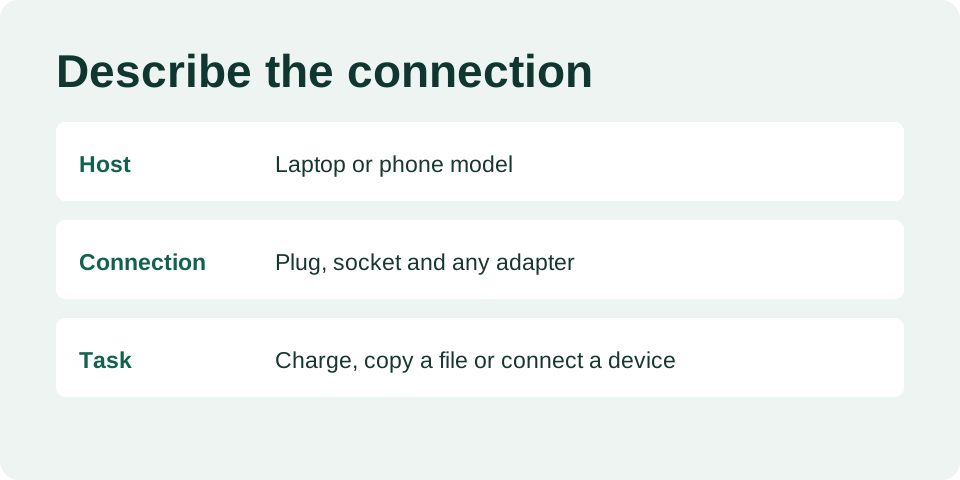
Write one sentence for each planned stock item. For example, “Our customer wants to connect a phone to a laptop and copy a folder of photos.” List the two device models, the ports in use and whether another adapter sits between them. If the customer also expects charging during the transfer, put that on a separate line. The supplier can now identify an exact model or explain which part of the request needs clarification. A photograph of the plug alone leaves most of that conversation open.
For an adapter, draw the path from the host device to the accessory. Name the plug that goes into the host, the socket that accepts the accessory, and the job you want the connected pair to perform. A buyer selecting a travel kit should draw a separate path for each combination they intend to describe on the box. Ask the supplier to mark the combinations that are supported and return the marked drawing with the quotation.
Request evidence for each statement on the box
Make a short table with four columns. In the first, write the exact wording proposed for the listing. In the second, identify the supplier model, length and revision. Use the third for the evidence that would justify the wording and the fourth for the buyer’s decision. Keep a blank cell where a supplier has yet to answer. This draws attention to questions a price comparison would otherwise hide.
| Proposed statement | What the buyer should request |
|---|---|
| Charges a named device | The model tested, power source, connection path and observed outcome. |
| Transfers files | The host and peripheral used and a repeatable file-copy demonstration. |
| Supports a stated data rate or power rating | Documentation for the exact variant and evidence appropriate to the numerical claim. |
| Includes a named adapter | A packing list, photographs of both ends and a sample of the packed kit. |
USB-IF publishes guidance on cable and connector identification. Consult its current material when interpreting supplier terminology or reviewing proposed logos. Keep a copy of the documentation you reviewed with the model it covers. A certification document offered for a different cable length or another manufacturer needs its own explanation before anyone uses it to approve artwork. USB-IF cable and connector resources.
Give each sample an identity before opening the package
Photograph the received packet next to a temporary sample ID. Open it, lay out the contents, and photograph both ends of each item with that same ID visible. Record the supplier model exactly as written on the quotation, including any suffix. Make room for length, color and pack version even if they appear obvious today. A month later, the buyer comparing a revised quote may have only those pictures and the saved packet to work from.
Imagine a quotation that offers a short black cable in a loose bag and a longer black cable on a retail card. Ask which variant the sample represents and whether the quotation includes the card, barcode application and insert. If the supplier sent the short model to illustrate the finish of both, the buyer can review the finish now and leave the longer variant open. Record each decision at the level the evidence supports.
Run charging and file transfer as separate checks
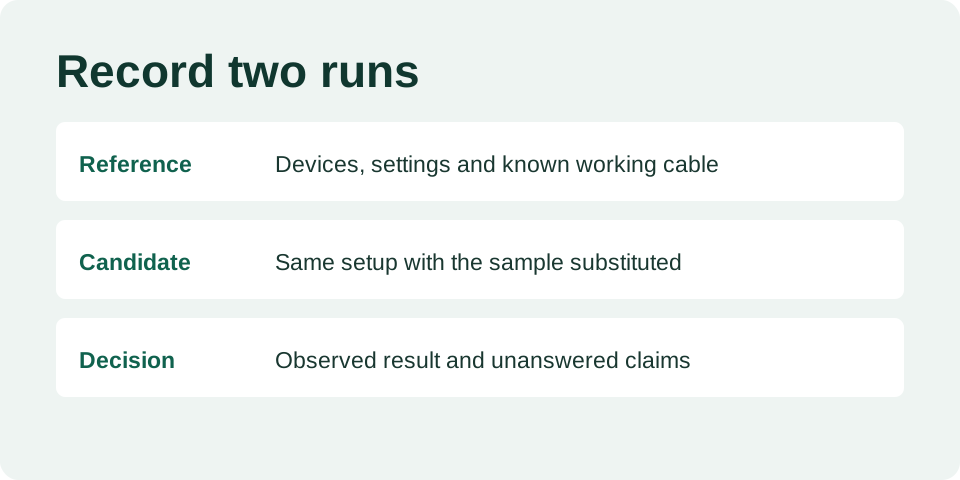
Start with a setup that performs the intended job using a known working cable. For a file transfer, use a host, a device and a file you can retrieve again. Confirm the device is unlocked and the necessary transfer setting is enabled. Copy the file, open the copy and record the result. Then change just the cable or adapter under review and repeat the sequence. Record the model and any other change needed to make the second attempt work.
A successful copy supports a narrow observation about those devices and that connection. File size, storage speed and host limitations all affect observed transfer time. Escalate a proposed numerical performance claim to someone with the appropriate test setup and documentation. For charging, record the charger, device, displayed behavior and the conditions of the observation. A charging icon alone supplies too little information to approve a wattage claim.
Use uncertain results to narrow the question
If both the reference and sample fail, restore the reference setup first. Check which port was used, whether the device was in transfer mode and whether the receiving device can perform the task. If the reference works and the candidate repeatedly fails, mark the affected function for review and send the supplier the connection diagram. Include the sample ID and the observed behavior so they can respond about the same item.
For a kit, a useful next step is to remove one detachable part and repeat only a supported connection. Keep track of the path that failed. If the seller suggests a replacement, assign a new sample ID, save the explanation and decide which original checks must be repeated. Keep the first result attached to the original model so it cannot accidentally become an approval for the replacement.
Approve the shelf label and the reorder together
Place the proposed retail card beside the tested sample and ask a colleague to identify the two connector ends and describe what the cable will do. Give them only the information a shopper would see. If they pick up a charging lead expecting to connect a display, record the words or image that led them there. Revise the card and run the same exercise again before signing the artwork.
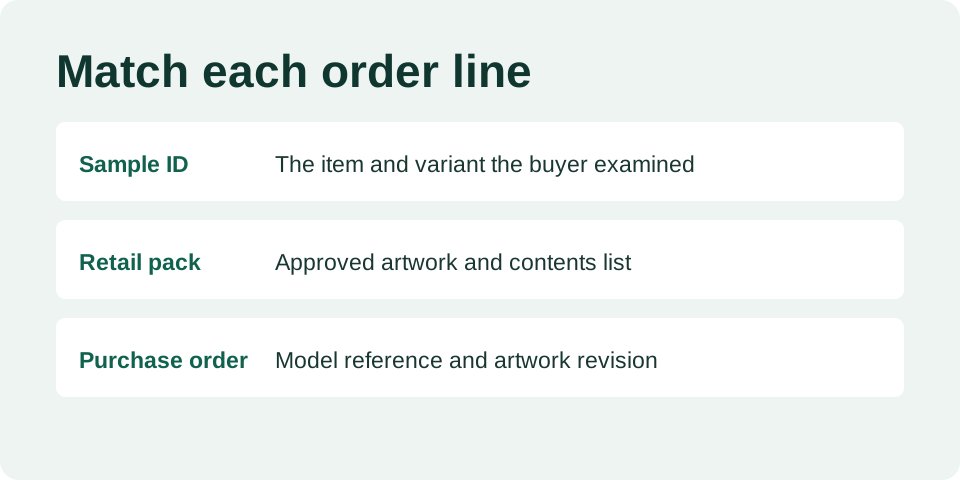
Copy the approved supplier reference, sample ID and artwork revision into the purchase order. Specify who can approve a substitution and what evidence they need. At receiving, open a packet from the delivered goods and compare the contents, label and identifiers with that record. Write down how the lot was selected and the scope of the check. Agree on broader inspection or specialist testing in advance where the buyer relies on performance claims.
Questions buyers ask before ordering
Can two cables with the same plug share a product page?
They can share a variant selector if a shopper can see exactly what they are choosing. List the supported job for each option and use the matching photograph. Separate the listings if selecting a different length or kit would silently change a function the headline promises.
What if the supplier quotes only a family name?
Ask them to add an orderable variant reference beside each price and to show the reference on their sample paperwork. Until that match is clear, keep the quote in review. This also gives the warehouse a way to describe a discrepancy without relying on a visual guess.
What should I include in an inquiry?
Send the connector ends, intended device pair, function, destination market, packaging format and estimated quantity. Mark any proposed numerical claim that needs supporting documentation. Browse the product catalog for a reference, then send a sourcing brief with the questions you need answered before ordering samples.